How it works
A step by step guide on how to verify documents, what verification methods are available, and what the verification results mean.

STEP 1
Get started
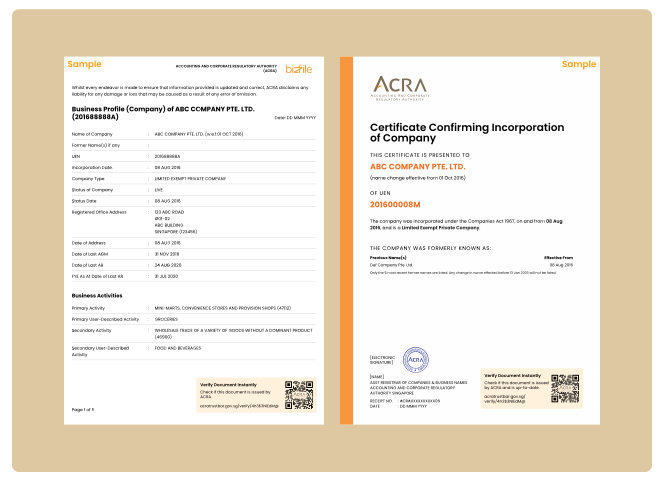
Verify the following ACRA-issued documents after you’ve received them from your clients or partners.
STEP 2
Verify
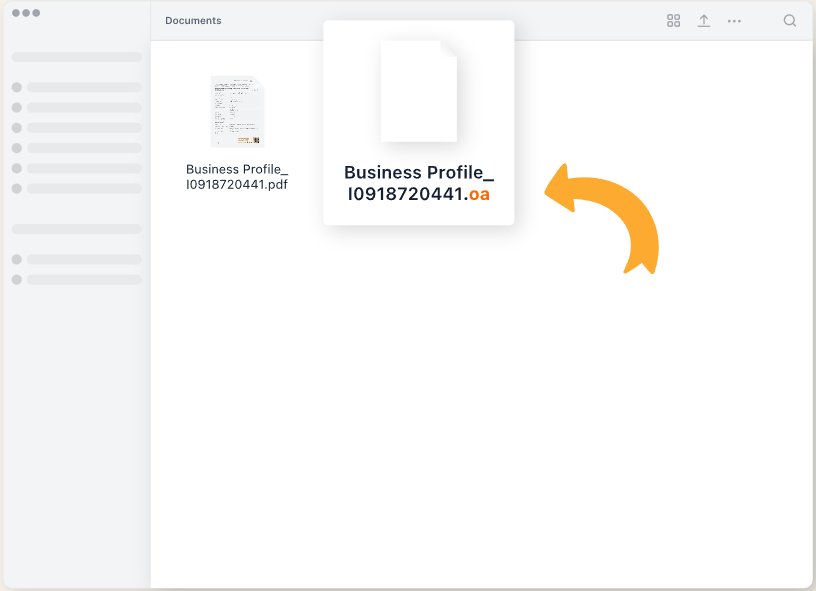
ACRA issues two formats of the same document: a PDF file for viewing and an OpenAttestation file for verification.
Choose 1 of the 3 ways to verify:
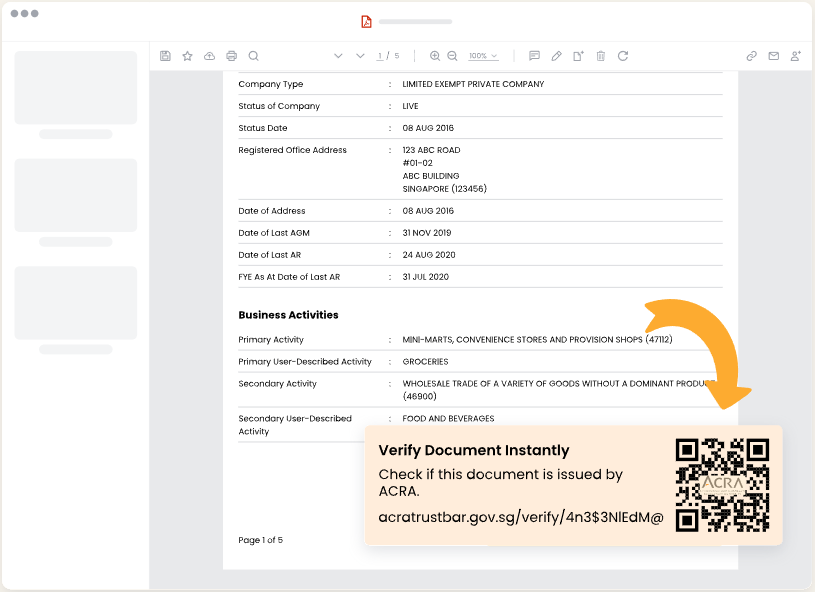
1. Scan QR code on PDF
Scan the QR code to view verification results directly.
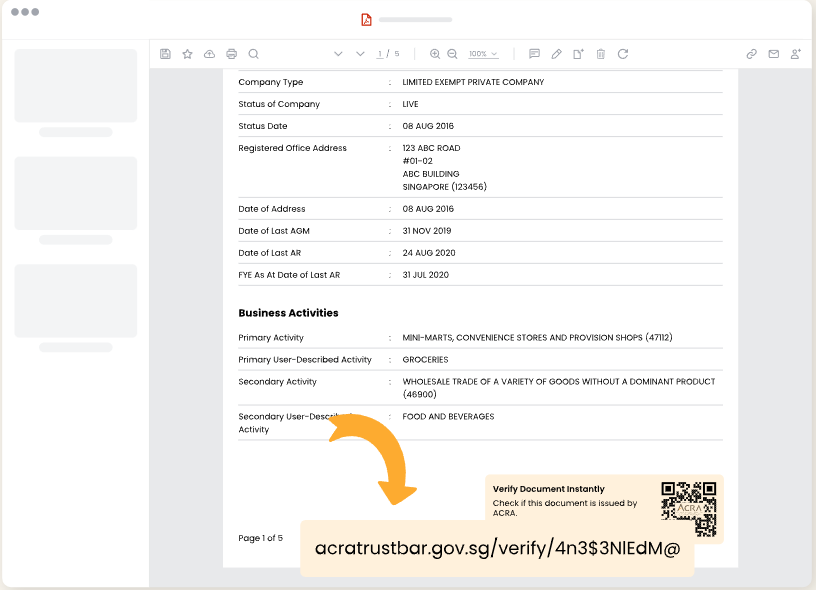
2. Access verification URL on PDF
View verification results by accessing a unique URL.
3. Upload OpenAttestation file
Upload the verifiable format of the document on this site.
Scan QR code on PDF
Scan the QR code to view verification results directly.
Access verification URL on PDF
View verification results by accessing a unique URL.
Upload OpenAttestation file
Upload the verifiable format of the document on this site.
STEP 3
Results
Check if the received document is issued by ACRA.
1. Document is issued by ACRA
The information in this document is provided by ACRA (Applicable for Business
Profiles).
The information in this document is up-to-date (Applicable for Business
Certificates).
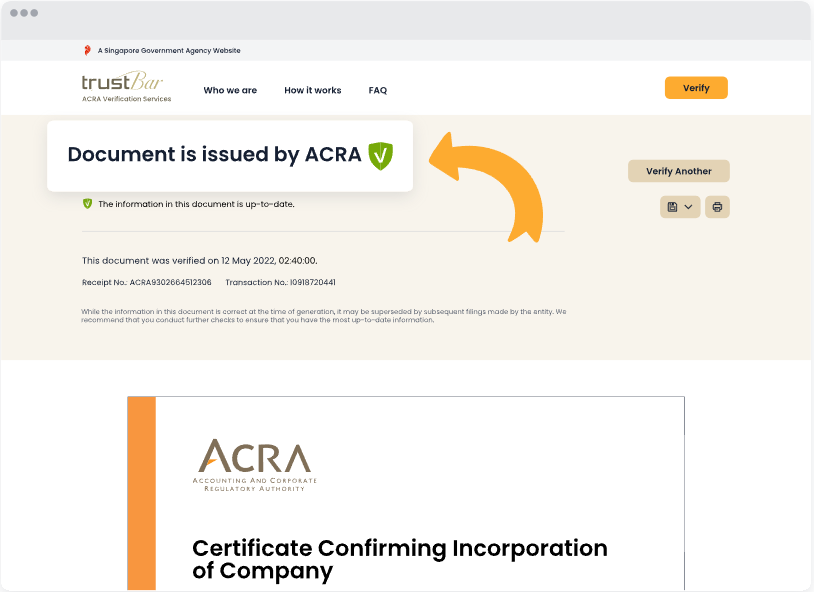
2. Document is issued by ACRA
Some information in the document is not up-to-date.
This check is only applicable for Business Certificates.
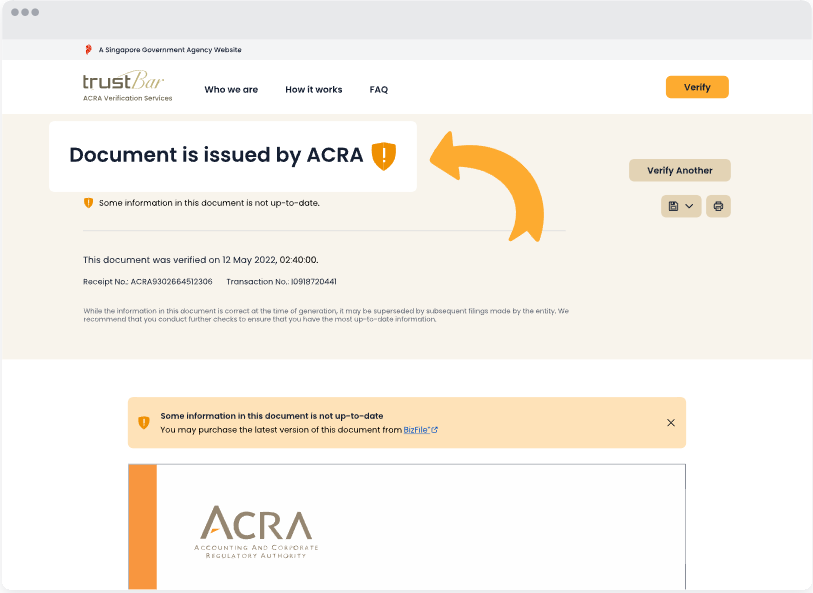
3. Document is not issued by ACRA
The content in this document has been altered.
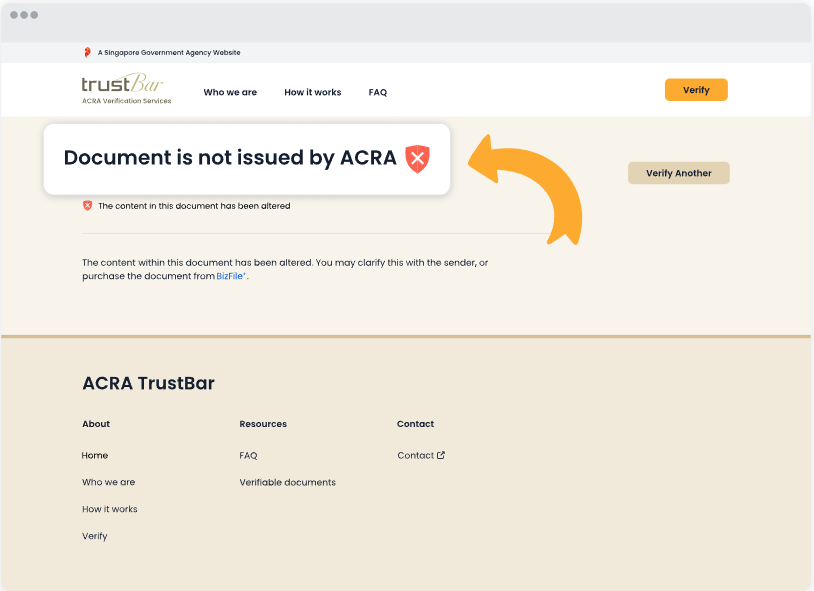
Document is issued by ACRA
The information in this document is provided by ACRA (Applicable for Business Profiles). The information in this document is up-to-date (Applicable for Business Certificates).
Document is issued by ACRA
Some information in the document is not up-to-date. This check is only applicable for Business Certificates.
Document is not issued by ACRA
The content in this document has been altered.
STEP 4
Print the document with the verification time and result included. This will let users know that the document has been verified from trust Bar .
1. Document is issued by ACRA
Verified as of DD MM YYYY, HH:MM:SS (Applicable for Business Profiles).
The information in this document is up-to-date. Verified as of DD MM YYYY,
HH:MM:SS (Applicable for Business Certificates).
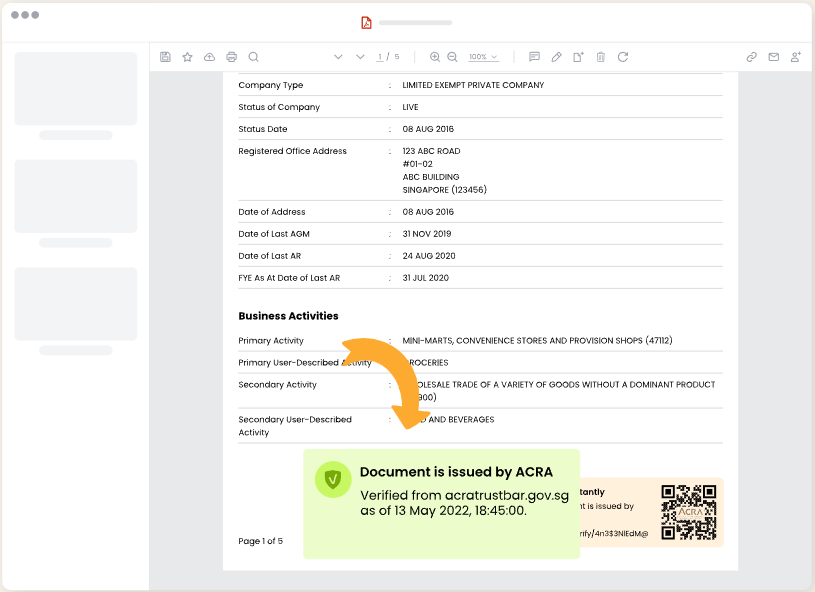
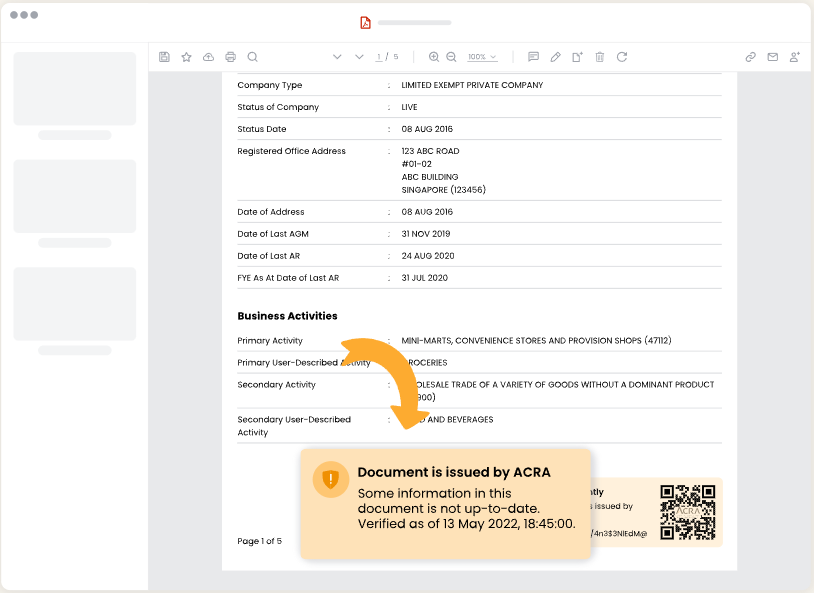
2. Document is issued by ACRA
Some information in the document is not up-to-date. Verified as of DD
MM YYYY, HH:MM:SS.
This check is only applicable for Business Certificates.
Document is issued by ACRA
Verified as of DD MM YYYY, HH:MM:SS (Applicable for Business Profiles). The information in this document is up-to-date. Verified as of DD MM YYYY, HH:MM:SS (Applicable for Business Certificates).
Document is issued by ACRA
Some information in the document is not up-to-date. Verified as of DD MM YYYY, HH:MM:SS. This check is only applicable for Business Certificates.